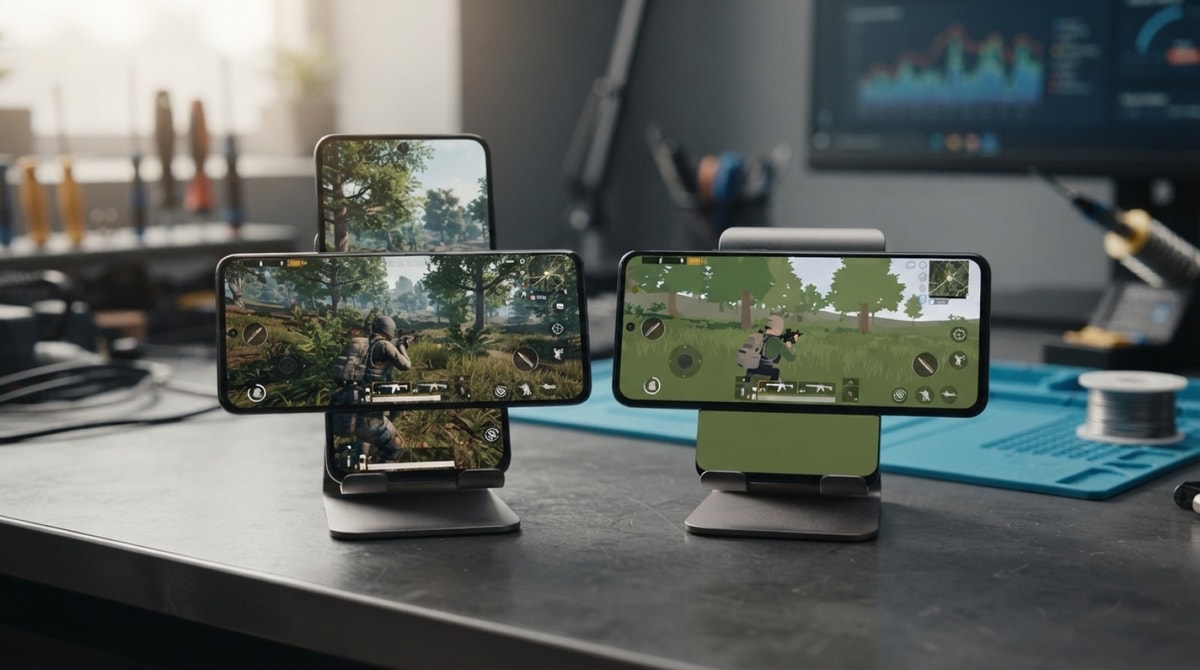
Standard PUBG Mobile and PUBG Mobile Lite serve distinct hardware profiles while delivering tactical battle royale gameplay. Choosing between them comes down to balancing system hardware capabilities against desired visual fidelity and match pacing.
PUBG Mobile targets mid-range to high-end smartphones with full-scale 100-player matches, expansive maps, and high-definition resource options. Conversely, PUBG Mobile Lite focuses on efficiency, running smoothly on entry-level Android hardware with compact 60-player arenas and smaller initial downloads.
Deciding which title to install requires assessing memory allocation, available storage, and operating system compatibility based on published store specs.
Selection criteria for choosing your PUBG mobile edition
Hardware capability dictates match stability and frame-rate consistency across both battle royale editions. Evaluating target device parameters ensures smooth gameplay without severe throttling or storage depletion during longer play sessions.
- RAM allocation: Standard PUBG Mobile performs best with 3GB or more of system RAM, whereas PUBG Mobile Lite functions reliably on devices equipped with 1GB or 2GB of RAM.
- Processor capabilities: Multi-core processors with higher clock speeds handle standard PUBG Mobile's complex render distances, while lightweight chipsets easily process Lite's streamlined assets.
- Storage footprint: Initial downloads and expanding asset packs require substantial free space for the main game, while Lite maintains a low storage burden on internal flash memory.
- Gameplay session length: Fast-paced 60-player matches in Lite last around 10 to 15 minutes, compared to 25 to 30-minute full matches in standard PUBG Mobile.
Matching these physical hardware capabilities to game demands prevents frame drops and excessive battery loss during extended battle royale matches.
PUBG Mobile performance profile and device requirements
Standard PUBG Mobile represents the core battle royale experience designed for modern mobile hardware. It utilizes full graphics processing capabilities and higher memory budgets to render detailed environments across large island maps.
Graphical Fidelity and Gameplay Scope
PUBG Mobile offers high-resolution textures, dynamic lighting effects, and realistic sound physics across standard 100-player lobbies. Larger terrain maps like Erangel and Miramar demand constant rendering of long-range sightlines and complex environmental structures during gameplay.
Storage Footprint and Thermal Load
According to official store listings, standard PUBG Mobile requires a multi-gigabyte initial installation that expands further as optional high-definition resource packs, audio assets, and extra maps download. Rendering high-polygon models creates a noticeable thermal load, demanding robust thermal dissipation in target smartphones.
Recommended Device Profiles
Upper mid-range and flagship smartphones equipped with modern chipsets and 4GB to 8GB of RAM deliver stable 60Hz or higher frame rates on advanced graphics presets. PUBG Mobile is available on both Android via Google Play and iOS via the App Store.
PUBG Mobile Lite optimizations and trade-offs
Designed specifically for budget-conscious users and entry-level phones, PUBG Mobile Lite adjusts core mechanics to run efficiently on limited system resources without sacrificing competitive shooting elements.
Lightweight Engine and Fast Load Times
Built on Unreal Engine 4 optimizations, PUBG Mobile Lite maintains an initial base download footprint of roughly 600 MB according to store specifications. Streamlined installation packages ensure fast loading times and minimal memory consumption during active matches.
Compact Maps and Simplified Mechanics
Matches in PUBG Mobile Lite feature 60 players on smaller maps like Varenga. Shrinking the terrain size and reducing player capacity speeds up matchmaking and shortens average match duration, allowing budget processors to maintain stable frame rates without overheating.
Platform Limitations and Trade-offs
To maintain lightweight execution, PUBG Mobile Lite simplifies graphic effects, draw distances, and character models. Crucially, PUBG Mobile Lite is officially available on Android through Google Play and is not natively supported on iOS devices.
Head-to-head specs and performance comparison
To evaluate which edition matches your hardware profile, analyzing their structural parameters side-by-side clarifies the trade-offs between visual fidelity and resource consumption. Official store pages and published technical specifications outline distinct baseline requirements for both releases.
| Technical Metric | PUBG Mobile | PUBG Mobile Lite |
|---|---|---|
| Minimum RAM | 3 GB RAM recommended (2 GB absolute minimum) | 1 GB RAM supported (2 GB recommended) |
| Operating System | Android 5.1.1+ / iOS 11.0+ | Android 4.1+ (Not natively supported on iOS) |
| Initial Download Size | ~1.5 GB to 2.5 GB (base client) | ~600 MB (base installer) |
| Player Capacity | 100 players per battle royale match | 60 players per battle royale match |
| Map Dimensions | 8x8 km and 4x4 km classic terrain maps | 2x2 km compact battle environments |
Beyond initial installation metrics, ongoing updates and downloaded resource packages drastically alter the storage landscape over time. While the standard release continuously incorporates high-definition texture packs, voice files, and seasonal event assets that can swell total storage requirements past 10 GB, the streamlined variant maintains a strict ceiling on asset sizes. Standard gameplay demands robust multi-core processor performance to calculate realistic physics, extensive view distances, and complex particle effects, whereas the lightweight client uses simplified rendering pipelines to keep heat generation low on entry-level system boards.
Decisive recommendation based on hardware specifications
Selecting the ideal edition depends directly on your smartphone's physical chipset capability, available non-volatile flash memory, and operating system platform. Matching your hardware capabilities against the game's actual requirements guarantees smooth frame rates and prevents aggressive thermal throttling during extended matches.
Consider these practical guidelines when deciding which application client to install on your mobile device:
- Choose PUBG Mobile if you own a mid-to-high-tier device: Modern mid-range smartphones equipped with 4 GB of RAM or higher, powerful multi-core processors, and at least 15 GB of free internal storage should install the standard edition. This client unlocks full 100-player battle royale matches, high-definition graphical settings, dynamic lighting, and regular seasonal content updates across all main terrain maps. iOS users must also select this option, as it remains the only officially supported build on Apple devices.
- Choose PUBG Mobile Lite if you use an entry-level Android phone: Budget smartphones featuring 1 GB to 2 GB of RAM, older dual-core or quad-core processors, and restricted internal storage perform far better with the lightweight client. The streamlined graphics and 60-player lobbies deliver fluid frame rates on budget chipsets without triggering rapid battery drain or excessive device heating.
Attempting to force the standard game client onto unsupported lower-spec hardware typically results in severe frame pacing stutters, sudden app crashes, and intense heat build-up. Choosing the version built specifically for your phone's architecture yields a much more stable and competitive experience.
Summary verdict and next steps before installation
Choosing between these two battle royale titles ultimately comes down to balancing realistic visual demands against hardware constraints. Neither version offers a blanket advantage over the other; instead, each serves a specific tier of mobile hardware. The standard release delivers an immersive, feature-packed tactical shooter for high-performing devices, while the compact alternative ensures smooth action on entry-level Android smartphones.
Before initiating any download, verify your phone's total active RAM in system settings and inspect your remaining internal storage capacity. Ensuring sufficient free storage space for baseline installation files and future content patches will prevent unexpected performance drops and keep your device operating smoothly throughout every match.


Comments
No comments yet. Be the first to share your thoughts.